How to Write a Capture Rubric Your Contributors Won't Misread

Leela Yanamaddi
October 26, 2026
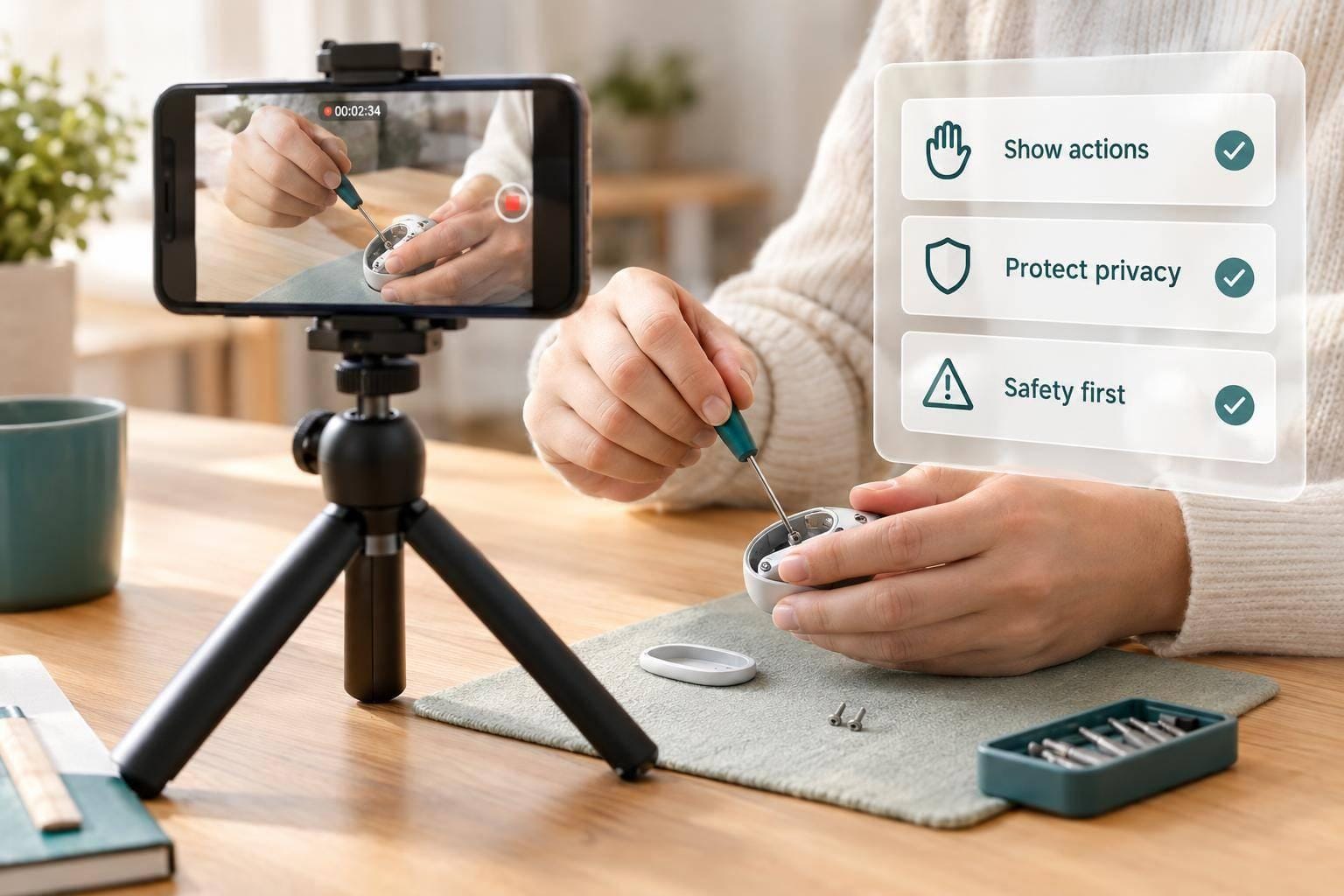
I write a capture rubric so contributors know what to record - and reviewers know what passes. I start with the task’s start, required steps, and end state, then give each rule a pass/fail test and a place to log timestamps.
My checklist covers five things:
- Task and setup: Approved objects, camera settings, framing, and required actions.
- Review rules: Separate file checks from human review, with clear reasons to accept, request a new take, reject, or escalate.
- Privacy and safety: State when to stop, withhold footage, and seek help. Set access and deletion rules.
- Pilot testing: Have at least 2 reviewers assess the same clips, then fix rules they read differently.
- Contributor instructions: Publish a matching checklist with the same version, a 10–15-second practice clip, and a route for questions.
My bottom line: <u>a sharp video is not enough</u>. The required actions must be visible, and privacy and safety rules come first - even when the task is complete.
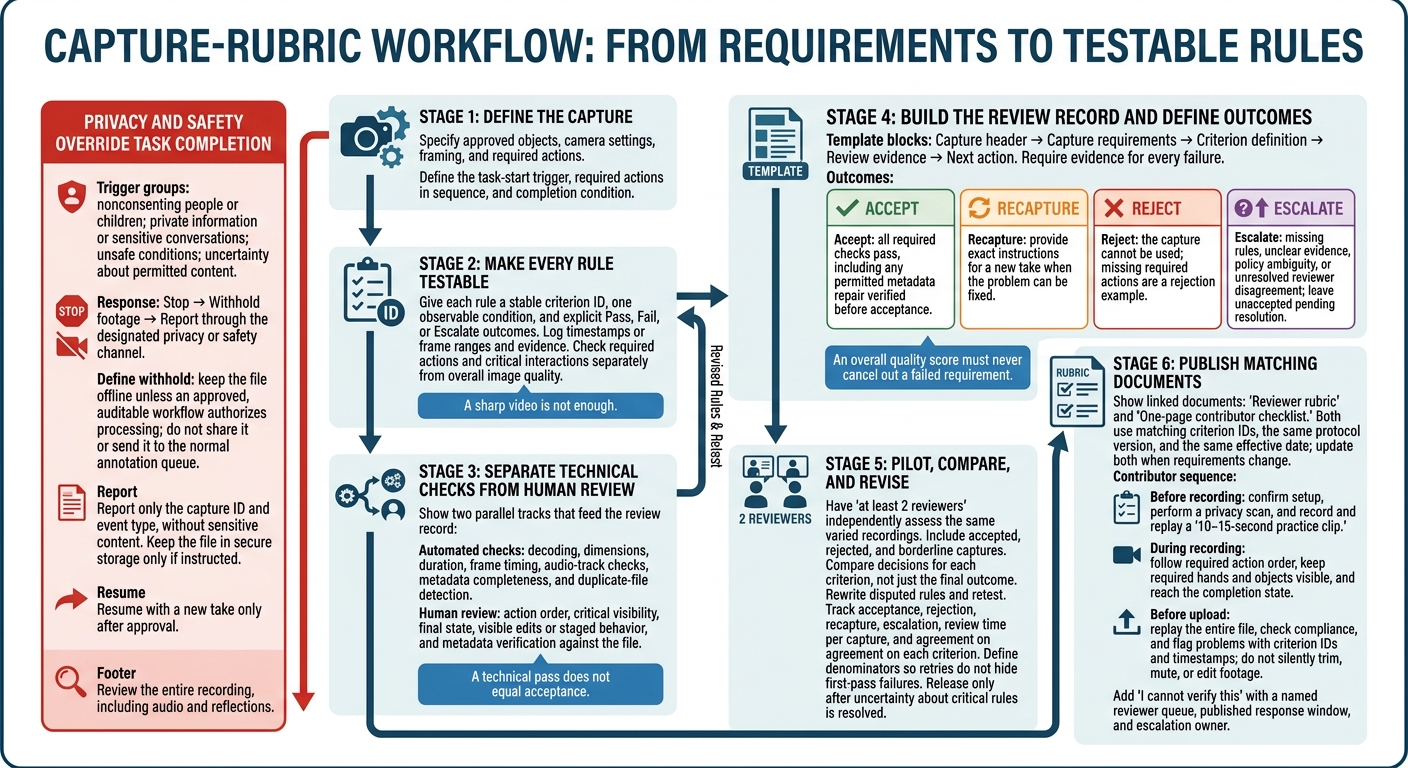
Capture Rubric Workflow: From Rules to Reliable Review
2. Write Clear Pass/Fail Rules
Turn each recording requirement into a review rule. Assign each rule an ID, one checkable condition, and a Pass, Fail, or Escalate outcome. Log the timestamp and evidence for each decision.
If instructions conflict or footage is unclear, preserve the original file and send it to a second reviewer. Leave it unaccepted until the dataset owner resolves any policy ambiguity. Reviewers must not create exceptions.
Set Framing and Visibility Limits
Base visibility rules on what reviewers can verify. Allow partial occlusion only when the object’s identity and the required interaction remain observable. Use these checks to reduce guesswork:
| Rule | Pass | Fail |
|---|---|---|
| Required hands and objects | Both hands and contact areas are visible during required actions; required objects remain identifiable. | A required hand, contact, or object identity is hidden. |
| Camera orientation | The camera stays in the approved orientation. | The camera shifts away from the approved view. |
| Out-of-frame limit | No required object stays out of frame longer than the project-approved 1-second limit; critical interactions remain visible. | An object exceeds the limit or a critical interaction is hidden. |
| Image clarity | Object identity and contact remain distinguishable during required events. | Motion blur, clipped highlights, or shadows hide the interaction. |
For a project-approved 90% visibility rule, sample one frame every 0.5 seconds from task start to task end. Pass only if at least 90% of samples meet the visibility threshold. A hidden grasp or placement still fails, even if the overall score passes.
Define the required workspace and objects before review, then inspect every critical interaction separately. Escalate borderline glare or occlusion rather than guessing.
Show What Counts as a Complete Task
State interruption rules explicitly. A project may allow pauses of up to 10 seconds if recording continues and the workspace stays visible. Unless expressly permitted, reject cuts, speed changes, off-camera tool substitutions, and stitched retakes. Require a new take after an abandoned attempt. Judge pace only against observable rules.
Hypothetical accepted clip: The cup and packet are visible at 00:00; pickup occurs at 00:04, opening at 00:09, and pouring at 00:14. The empty packet is placed beside the cup at 00:19, with the final arrangement visible through 00:22. Pass: every required action is observable.
Hypothetical rejected clip: The unopened packet is visible at 00:00 but is already open at 00:05; pouring occurs at 00:15. Fail -
MISSING_ACTION: opening is absent, even though the footage is sharp and well framed.
Separate Automated Checks From Human Review
Check file integrity separately from task correctness. Store container, codec, resolution, frame rate, duration, audio policy, timestamp, and required metadata in a versioned configuration.
Automate decoding, dimensions, duration, frame timing, audio-track checks, metadata completeness, and duplicate-file detection. Keep playback timestamps distinct from the capture date and local time with time zone.
Tie each check to one observable rule and one reviewer decision. Reviewers assess action order, critical visibility, final state, and visible edits or staged behavior. A technical pass does not equal acceptance; reviewers must verify metadata against the file.
3. Set Privacy, Safety, and Stop Rules
After defining task correctness, add privacy and safety rules that take priority over task completion.
Exclude Prohibited People and Private Information
Make privacy and safety pass/fail checks, not reviewer judgment calls. Add them to the same rubric used for framing and task completion. Reject footage that shows or clearly records nonconsenting people, children, identity or financial documents, private screens, credentials, medical information, or sensitive conversations. Review the entire recording, including audio and reflections - not just the task area.
Before recording, require an approved space, camera and microphone checks, and a short audio playback test. Remove or cover personal documents and labels, close unrelated apps, and turn off notifications. If another person might be seen or heard, require documented consent through the project’s approved process. Background presence does not count as consent. Contributors must follow the strictest applicable project rule. When the location is uncertain, project owners should obtain jurisdiction-specific legal review.
Define When to Stop and Withhold Footage
Withhold footage means keeping the file offline unless an approved, auditable workflow authorizes processing. Do not share it. Report only the capture ID and event type through the designated privacy or safety channel, without including sensitive content. Keep the file in secure storage only if instructed. Resume recording with a new take only after receiving approval.
Use the same trigger terms in contributor instructions and reviewer decisions.
| Trigger | Contributor action | Submission status | Reviewer decision |
|---|---|---|---|
| Unexpected adult enters frame or speaks | Stop if practical; do not continue | Withhold footage | Reject unless documented policy permits it |
| Child appears or is audible | Stop immediately; do not seek informal consent from the child; report the incident | Withhold footage | Reject; follow child-data incident procedures |
| Face, voice, address, ID, payment card, prescription, or private screen appears | Stop; report the exposure | Withhold footage | Escalate to the privacy reviewer for deletion or remediation |
| Private conversation begins nearby | Stop or pause; relocate only without exposing more information | Withhold footage | Reject unless policy authorizes controlled review |
| Unsafe condition, injury risk, fire, weapon, blocked exit, or hazardous equipment appears | Stop immediately; follow normal emergency procedures | Withhold footage | Escalate to the safety contact |
| Contributor is unsure whether content is permitted | Stop; ask through the support route | Withhold footage | Escalate for a human decision; uncertainty is not acceptance |
Send flagged captures through a separate handling process, not normal annotation review.
Define Access, Retention, and Deletion
Limit raw-footage access to named personnel with a documented need. Require authenticated accounts, encrypted storage and transfer, and logs of access and downloads. Give annotators only the minimum necessary version. Allow broader approved access to de-identified footage only after checks confirm that both imagery and audio meet project requirements. De-identification is a derivative workflow - not a fix for a prohibited capture.
Publish separate retention periods for accepted raw footage, de-identified derivatives, rejected captures, incident files, review logs, and consent records. For each category, specify the owner, deletion deadline, deletion method, verification step, and legal-hold exception. Send flagged captures to the privacy lead, not the annotation queue. Under the storage policy, deletion procedures must cover local copies, temporary uploads, derivatives, and backups. Standard deletion may leave recoverable data behind.
4. Build and Test the Review Rubric
Create a Reusable Rubric Template
Turn the pass/fail rules into a review form that contributors and reviewers can use consistently. Create one review record per capture, with separate checks for task, framing, technical quality, privacy, safety, and metadata. Use the template below.
Keep automated checks separate from reviewer decisions. A capture can meet technical requirements and still fail the task.
| Template block | Required fields |
|---|---|
| Capture header | Capture ID, contributor ID, task name, protocol version, rubric version, recording date and time, environment, hardware, reviewer, review status |
| Capture requirements | Expected setup, task-start trigger, required actions in sequence, completion condition, privacy exclusions, safety constraints, technical requirements |
| Criterion definition | Stable criterion ID, category, observable pass condition, explicit fail condition, severity |
| Review evidence | Timestamp or frame range, metadata field or automated result, reviewer decision, failed criterion IDs |
| Next action | Corrective action, exact recapture instruction, escalation rule and owner, recapture status, final disposition |
Give each requirement its own row. Check framing separately from visibility, and action order separately from completion. Set severity before review: critical failures override acceptance, major failures make the capture unusable for its intended purpose, and minor defects allow correction only when the protocol permits it.
Require evidence for every failure. An overall quality score must never cancel out a failed requirement.
Define Rejection, Recapture, and Escalation
Use four outcomes: accept, recapture, reject, or escalate. For each outcome, contributors receive confirmation, instructions for a new take, notice that the capture cannot be used, or a pending-review notice, respectively. Never accept a failed submission.
Use recapture only for problems that can be fixed. Reject captures with missing required actions or technical defects that cannot be fixed. Send privacy failures through restricted handling. Escalate cases involving missing rules, unclear evidence, or reviewer disagreements that remain unresolved. Check any permitted metadata repair before acceptance.
Test these outcomes on real captures before applying the rubric at scale.
Pilot the Rubric Before Scaling
Have contributors follow the draft instructions. Then ask at least two reviewers to independently assess the same varied set of recordings. Include accepted, rejected, and borderline captures across tasks, environments, camera positions, lighting, and hardware. Compare decisions for each criterion - not just the final outcome. Rewrite disputed rules and retest them before production.
Track acceptance, rejection, recapture, escalation, review time per capture, and agreement on each criterion. Break these measures down by task, environment, hardware, protocol version, and contributor cohort. Define denominators so retries do not hide first-pass failures.
Release the rubric only after all uncertainty about critical rules has been resolved. Version every change, recording its effective date, reasons, affected tasks, changed criterion IDs, and any requirement for re-review. Update contributor instructions and preserve the version attached to each capture.
Use the pilot results to turn the tested rubric into the final contributor checklist.
5. Publish the Rubric and Contributor Checklist
Turn the pilot-tested rubric into two linked documents: a reviewer rubric and a one-page contributor checklist. In the rubric, define each criterion, required evidence, pass/fail outcomes, rejection reasons, and escalation rules. Convert each criterion into a short checklist action with a matching ID. Show the same protocol version and effective date on both documents, and update both whenever a requirement changes.
Arrange the checklist to match the rubric and the order contributors will follow.
Before Recording: Check Setup and Test Playback
Ask contributors to confirm the task and protocol version, approved recording location, camera mount and orientation, audio policy, required objects, and available storage or battery. Require a privacy scan for people, screens, mail, IDs, and other private information.
Next, record and replay a 10–15-second practice clip. Check the starting position, framing, focus, exposure, audio policy, and task coverage. If needed, reposition the camera or remove private items before trying again.
During Recording and Before Upload: Check Compliance
During recording, follow the required action order without cuts or interruptions. Keep the required hands and task objects visible, and reach the stated completion state. Stop if the setup shifts, safety conditions change, or a privacy trigger occurs. If there’s a privacy incident, keep the file out of the normal upload queue and notify the designated reviewer.
Before uploading, play the entire file. Check duration, audio, resolution, frame rate, file type, filename, metadata, task completion, and prohibited content. Flag problems rather than silently trimming, muting, or otherwise editing footage. Record the affected criterion ID and timestamp so reviewers can find the evidence.
Give Contributors a Clear Route for Questions
Make room for uncertainty in the checklist rather than relying on reviewer memory. Add I cannot verify this to both the checklist and submission form. Route these submissions to a named reviewer queue with the criterion ID, a description of the uncertainty, and a timestamp. Publish the response window and escalation owner.
Keep examples and edge cases in onboarding materials. Before expanding collection, test the workflow with a small, representative group of contributors who didn’t write the instructions. Use recurring questions to revise both documents before the next recording round.
FAQs
How do I set visibility thresholds for different tasks?
Set pass/fail criteria based on the percentage of task frames in which hands, target objects, and interaction areas are visible and unobstructed.
For example, require hands to be visible in at least 95% of task frames.
Use a scorecard to reject clips that miss critical grasps, contacts, or workspace events. Define observable task boundaries - from the initial orientation reach until the outcome can be seen - so visibility requirements apply to the entire task.
How many clips should I include in a rubric pilot?
Start with 30 to 50 episodes per task variant to test your criteria, sensor synchronization, and labeling requirements before scaling up. Some teams use 20 to 50 hours of data from 5 to 10 contributors to spot failure points.
Keep the data mix as small as possible while still answering your training questions. Use it to check that task completion, visibility, and privacy criteria are clear and can be enforced.
When should rubric changes trigger re-review of existing captures?
Re-review existing captures when rubric changes address unclear labels, weak category boundaries, or inconsistent annotations found during pilot runs, sample reviews, or quality assurance checks. Also re-review captures when rubric changes follow model training failures involving missing objects, scenes, or task stages.
Never modify an existing release in place. Issue a new semantic version tag so releases stay unchanged and loaders remain compatible across dataset versions.