What Is Teleoperation in Robotics?

Leela Yanamaddi
September 22, 2026
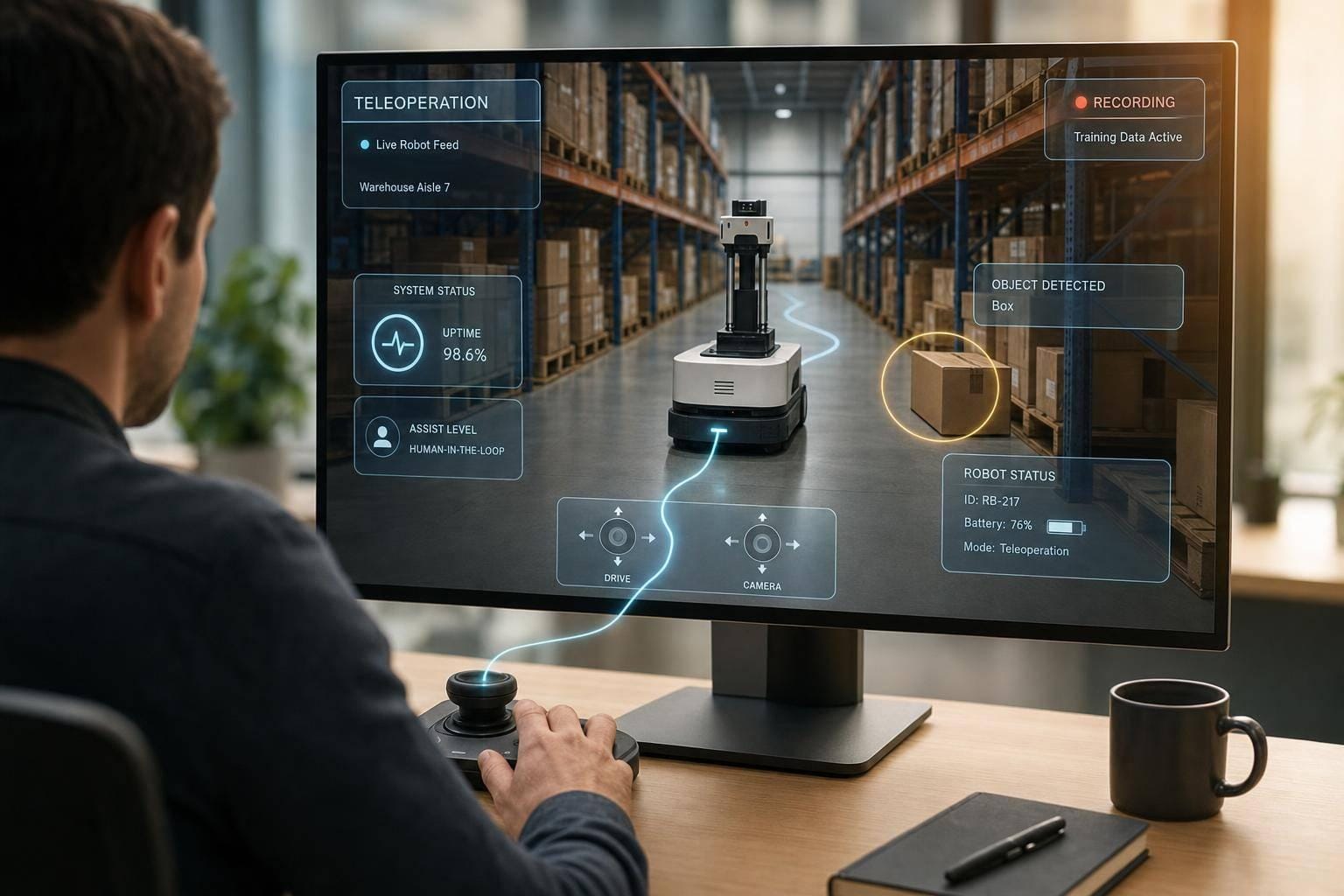
Teleoperation is how I let a person step in when a robot gets stuck, confused, or needs fine control from a distance.
In simple terms, it sits between full autonomy and full manual control. The robot does the normal work, and a remote operator takes over only when needed. That setup helps me keep robots moving, cut downtime, and turn each intervention into data I can use to improve the system later.
Here’s the short version:
- Teleoperation is not just joystick driving. It can mean remote control, remote supervision, or short human takeover during failures.
- It works best as a fallback layer. The robot handles routine tasks first. A person deals with blocked paths, missed grasps, docking issues, or sensor trouble.
- The setup depends on more than the operator. I need live video, maps, telemetry, low-delay control links, and onboard safety rules.
- Use cases vary by robot type. AMRs need help with aisle blockages and docking. Arms need help with hard grasps. Humanoids often need more frequent remote input for hand tasks and recovery.
- It solves two business problems at once. It keeps fleets running now and creates labeled training data for better autonomy later.
- The numbers matter. Many teams target under 2–5 minutes to resolve incidents for warehouse robots, and mature programs often aim for fewer than 2–5 interventions per 1,000 missions.
- Production teleoperation needs strict controls. I look for low latency, audit logs, access control, browser-based fleet views, ROS/ROS 2 support, and onboard fail-safes.
A quick way to think about it: autonomy does the common cases, teleoperation handles the messy ones, and the logs from those moments help close the gap over time.
If I’m judging whether a teleoperation stack is ready for deployment, I focus on five things:
- Response speed
- Safety on the robot
- Fleet scale
- Security and user control
- Data logging for ML and support
That’s the core idea of the article: teleoperation is not a last-resort patch. It is a core layer for running robots in production.
How Does Teleoperation Work In Robotics?
How a Teleoperation System Works
A teleoperation session runs as a closed loop: the operator watches, acts, and checks the result. They look at live video, map views, and telemetry, send a command, then confirm the robot’s updated state before making the next move. At the same time, the system keeps watching link quality and safety state in the background. That loop begins with what the operator can see and control.
Operator Interfaces, Video Feeds, and Control Inputs
The operator view is the center of the whole setup. In production systems, the interface usually brings together camera feeds, a map view, and live status panels that show position, battery, task state, connectivity, and safety. If a path is blocked or localization is lost, alerts need to surface fast enough for someone to act. Put simply, edge cases can’t hide in the UI.
Different tools fit different kinds of control:
- Dashboards support supervisory control
- Joysticks and gamepads support direct driving
- VR and motion controllers fit manipulation and humanoids
- Tablets support nearby takeovers
Robot-Side Sensing, Control Software, and Connectivity
On the robot side, sensing and connectivity make the control loop work at all. Mobile robots rely on cameras, LiDAR, and IMUs for navigation. Manipulators also use force/torque sensors so operators can work safely around contact and load.
Telemetry fills in the rest of the picture. That usually includes pose, velocity, battery and power state, fault codes, network status, and task state. Without that context, an operator is basically driving half-blind.
Video may stream over WebRTC or RTSP. Commands, though, should run through a separate low-latency control channel with acknowledgments and rate limits. If latency climbs, the system should respond by reducing frame rate, lowering speed limits, switching to high-level goals, or stopping safely.
Safety Layers and Escalation Workflows
When connectivity starts to slip, safety controls step in. Those controls belong on the robot controller, not in the remote app. Hardware emergency stops outrank everything else. Watchdog timers stop the robot when heartbeats drop. Geofences, speed limits, and force limits keep the robot inside a safe operating envelope, even if an operator sends a bad command.
For U.S. industrial deployments, these measures align with ANSI/A3 R15.06, ISO 10218-1, ISO 10218-2, and ISO/TS 15066.
Escalation follows tiers. The robot first tries autonomous recovery. If that fails, it alerts an operator. Teleoperation begins only when a human takes over within the system’s safety limits.
Where Teleoperation Fits in Robot Deployments
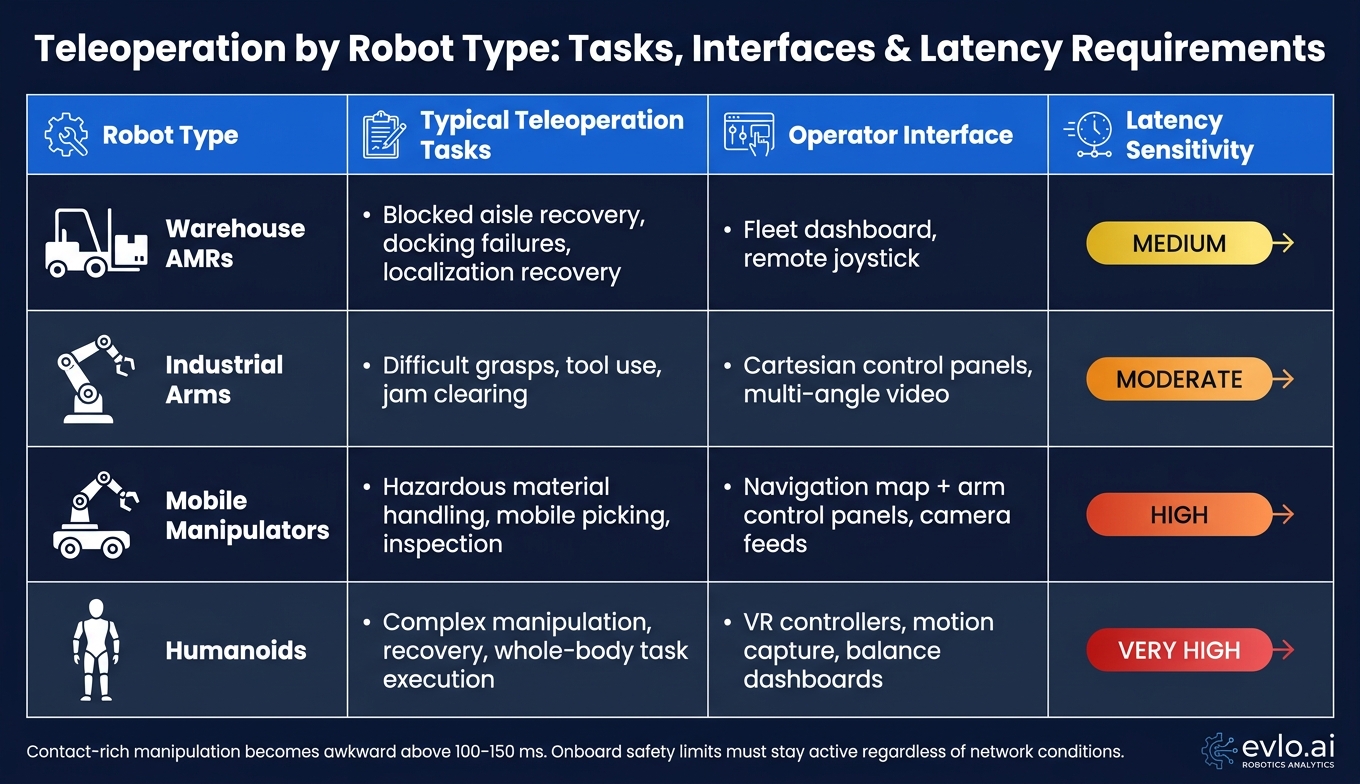
Teleoperation by Robot Type: Tasks, Interfaces & Latency Requirements
Teleoperation comes into play when autonomy runs into a task-specific wall. Where it shows up in the stack depends on the robot, the job, and the kind of failure. A robot that mainly moves has different needs from one that mainly manipulates objects. And if it does both, the workflow gets more layered.
Warehouse Robots and Industrial Mobile Robots
In warehouses and fulfillment centers, autonomous mobile robots (AMRs) do most of their navigation without help. Teleoperation steps in when the robot can’t find a safe way forward.
Common triggers include:
- blocked aisles
- lost localization from poor lighting or occluded markers
- unexpected obstacles
- docking failures at charging stations or conveyor interfaces
When that happens, the fleet console flags an incident. An operator then drives the robot around the blockage at a safe speed and puts it back into autonomous mode. Many teams aim for a median resolution time of under 2–5 minutes per incident.
Fleet supervision usually follows a tiered escalation model. Teleoperators deal with live navigation issues first. Supervisors watch metrics like intervention rate and docking success. On-site staff get involved only when the problem needs a physical fix, such as a misplaced rack or a dock that has been moved.
Manipulators, Mobile Manipulators, and Humanoids
For industrial arms, teleoperation begins when perception can’t localize an object or predict a safe grasp. Reflective packaging, deformable items, and cluttered bins are common trouble spots. In that case, an operator switches the arm into teleoperation mode, adjusts the end effector by hand, and then returns control to autonomous placement.
Humanoid robots depend on teleoperation more often because autonomy is still limited. Operators step in for fine manipulation tasks like grasping irregular objects, opening doors, or climbing steps, while the robot handles balance and locomotion. Immersive interfaces such as VR controllers and motion capture rigs are common. They’re used for control, and they also help collect demonstration data that can later train autonomous behavior.
Teleoperation Workflows by Robot Type: A Comparison
The differences stand out when you look at robot classes side by side.
| Robot Type | Typical Teleoperation Tasks | Operator Interface | Latency Sensitivity |
|---|---|---|---|
| Warehouse AMRs | Blocked aisle recovery, docking failures, localization recovery | Fleet dashboard, remote joystick | Medium |
| Industrial Arms | Difficult grasps, tool use, jam clearing | Cartesian control panels, multi-angle video | Moderate |
| Mobile Manipulators | Hazardous material handling, mobile picking, inspection | Navigation map + arm control panels, camera feeds | High |
| Humanoids | Complex manipulation, recovery, whole-body task execution | VR controllers, motion capture, balance dashboards | Very high |
Latency reference: contact-rich manipulation becomes awkward above 100–150 ms; warehouse navigation tolerates more delay, but onboard safety limits must stay active regardless of network conditions.
Contact-rich manipulation becomes awkward above 100–150 ms. Warehouse navigation can tolerate more delay, but onboard safety limits still need to stay active no matter what the network is doing.
These intervention patterns also become the record teams use to improve autonomy and fleet reliability.
What Problems Teleoperation Solves for Operations and AI Teams
Teleoperation does two jobs in robotics: it keeps robots working and it helps autonomy get better. Those two goals overlap, but they aren't the same. They call for different workflows, different logging, and different ways to judge whether the system is doing its job well.
Navigation Support, Exception Handling, and Fleet Reliability
When a robot gets stuck, the cost starts right away. Every minute it sits idle means lost output, and even small cuts in downtime can bring back a meaningful amount of productivity.
That leads to two outcomes at once: faster recovery in the moment and better autonomy over time.
A remote operator can check the robot's feeds, fix the issue, and get it back into service. This also gives teams a way to handle support from one central place, even across many sites.
Teams usually watch metrics like:
- MTTR
- Intervention rate
- Task completion rate
In a mature setup, a common target is fewer than 2–5 interventions per 1,000 missions, while keeping MTTR well under one minute for routine issues such as obstacle avoidance or path replanning.
Training Data Generation and Continuous Improvement
Those same interventions do more than fix today's problem. They also turn into training examples.
For AI teams, teleoperation is a direct source of labeled behavior data. Each session can produce synchronized logs of robot state, including sensor observations, pose estimates, map context, and task metadata, along with operator actions such as commands, trajectories, and decision sequences. Those logs line up with the failure modes mentioned earlier: blocked paths, difficult grasps, localization drift, and recovery actions. For imitation learning, teams should record camera frames, lidar scans, velocities, steering angles, and discrete commands at high frequency, plus episode boundaries and success or failure flags.
When teams log sessions at high frequency, teleoperation can produce large, structured training datasets. Over time, sending that data back into training pipelines leads to fewer interventions, shorter sessions, and better generalization when robots move into new sites.
In practice, these two workflows serve different teams, so it's best to keep them separate.
Operational vs. Data-Collection Teleoperation: A Comparison
| Feature | Operational Teleoperation | Data-Collection Teleoperation |
|---|---|---|
| Primary Objective | Restore uptime and clear exceptions | Generate training data |
| Logging Requirements | Session metadata, key commands, sensor snapshots | Full sensor streams, control signals, environment labels, episode markers |
| Operator Focus | Speed of recovery and safety | Precision and consistent task execution |
| Success Metrics | MTTR, intervention rate, throughput impact | Data diversity, edge-case coverage, model performance gains |
| Downstream ML Use | Edge-case analysis and failure labeling | Imitation learning and policy pre-training |
Operational sessions are about getting the robot back on track fast. Data-collection sessions are about producing clean, high-coverage recordings that teams can use for model training.
How to Evaluate Teleoperation Infrastructure for Production
Once you know where teleoperation fits, the next step is simpler: can the infrastructure handle production use, not just a demo?
That matters more than it sounds. A setup that works in a lab for one robot can fall apart fast when you spread it across sites, time zones, and robot types. In production, the same stack needs to support mobile robots, manipulators, and humanoids. So the system can't just be low-latency. It also needs enough flexibility to work across different hardware.
Core Capabilities to Look For
Latency is a deal-breaker. End-to-end video latency should stay below 100 ms for responsive mobile navigation, and in dynamic settings, closer to 40 ms is better. Bandwidth planning matters too. Expect roughly 10–25 Mbit/s per active robot for compressed multi-camera video.
Security and access control can't be optional. Look for encryption in transit, SSO, and role-based access tied to both robot and site. Each session should also record the operator, robot, site, and actions taken.
You also want multi-robot monitoring in one browser-based interface. In many setups, one operator can supervise 10–50+ robots and step in only when the autonomy stack flags an exception. That supervision model is a big part of what makes teleoperation work at scale.
Integration is another piece people tend to underrate. ROS/ROS 2 support through lightweight SDKs keeps the robot-side footprint small and makes future hardware support easier.
Put those pieces together, and you get a clear picture of what the stack needs to do. Then the next step is seeing how a given platform fits.
How evlo.ai Fits Into the Teleoperation Stack
evlo.ai provides teleoperation infrastructure for Physical AI. On the software side, it offers browser-based teleoperation interfaces, fleet monitoring, and operator handoff workflows that plug into ROS/ROS 2 stacks.
Where it stands out is the mix of software and managed operations. If a team can't cover teleoperation across all hours or all sites with in-house staff, evlo.ai can provide vetted remote operators on demand.
It also ties teleoperation straight into the data pipeline. Every intervention records sensor context, robot state, operator decisions, and recovery actions for training workflows. In plain English, routine exception handling doesn't just get the robot unstuck. It also feeds the next round of autonomy work.
Conclusion: Where Teleoperation Belongs in a Robotics Deployment
In production robotics, teleoperation sits between autonomy and full manual control. It helps keep robots running, lets teams handle exceptions at scale, and produces data that can improve autonomy over time. When you judge it on latency, security, scale, integration, and logging, teleoperation stops looking like a backup tool and starts looking like a core production layer.
FAQs
When should a human take over a robot?
A human should step in when a robot hits a situation it wasn’t built for or didn’t learn how to handle. That might mean a blocked route, a jammed part, sensor drift, sudden changes in the area, or any task that calls for fast judgment, hands-on skill, or safety-critical decisions.
With pre-defined escalation paths, the system can trigger a handoff once conditions pass a set threshold. At that point, a remote operator can fix the problem and put the robot back into autonomous operation.
What makes teleoperation safe in production?
Teleoperation helps keep production safe by combining machine autonomy with human judgment in three core ways: hard limits, clear escalation paths, and structured human oversight.
Safety-critical actions like emergency stops and interlocks remain deterministic and separate from AI. When a robot runs into an edge case or crosses a threshold, a remote operator steps in using live telemetry and video to guide it through the exception. After that, the robot goes back to autonomous mode. Each intervention is logged, which supports accountability and helps improve the system over time.
How does teleoperation improve robot autonomy over time?
Teleoperation helps robots become more autonomous by creating a continuous learning loop between people and machines.
Here’s how it works: when a robot runs into an edge case, a remote operator steps in and takes over. If you log that intervention along with reason codes and failure clips, you turn that moment into structured training data. That data can then help the robot deal with similar situations on its own next time.
Over time, the robot needs fewer manual interventions, and it can handle more work independently.